
Intrusion & alarm protection
Alarm systems for every door, window, and interior zone.
An intrusion alarm uses sensors, a control panel, and a communication link to detect unauthorized entry. We design each one around how the property runs and the monitoring you choose.
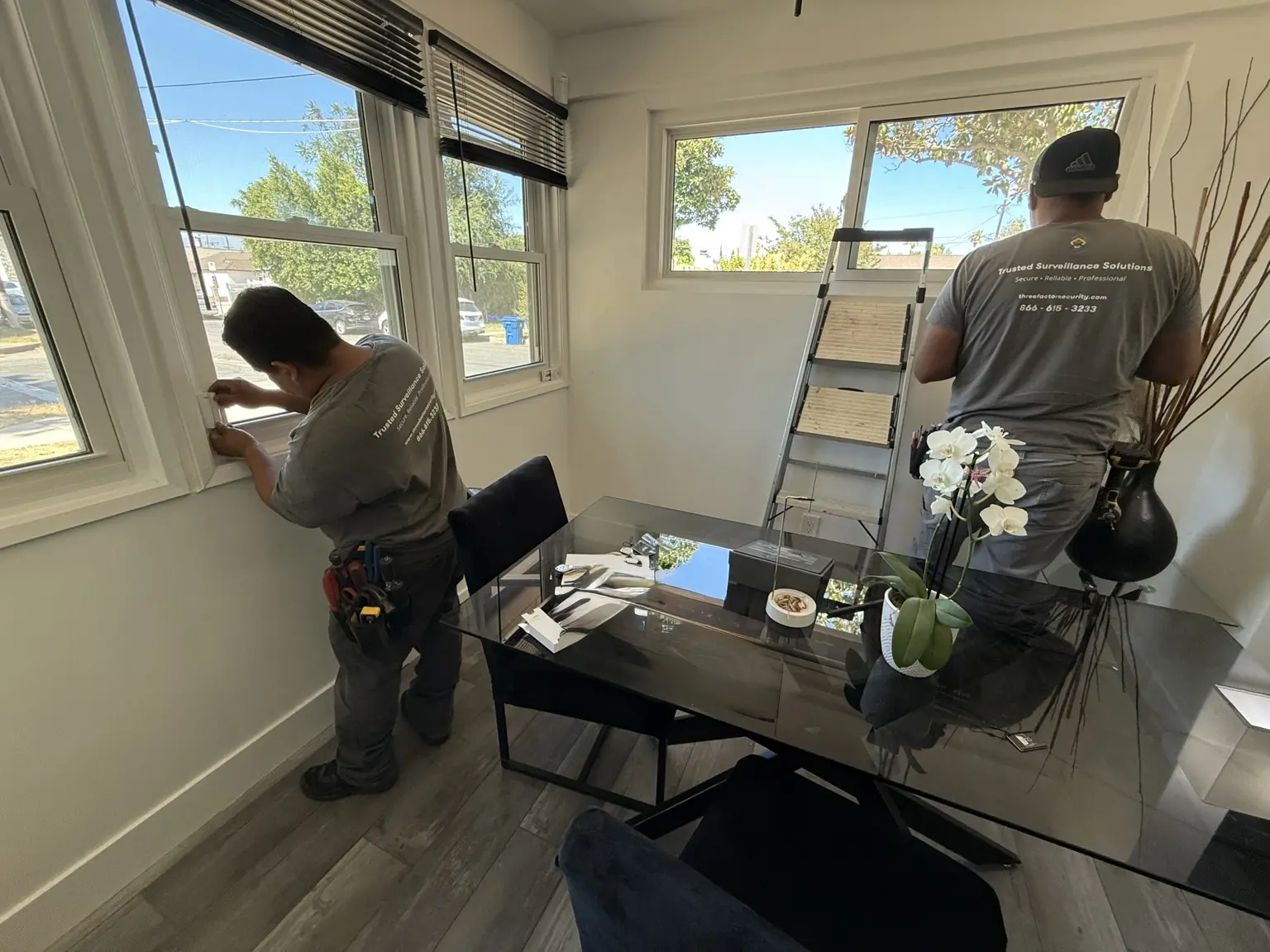
- ★ 4.9 ratingHundreds of client reviews
- 10,000+Systems installed & serviced
- Since 2008Family-owned
- CSLB #1094834C-7 licensed, bonded & insured
- BSIS ACO #8164Licensed alarm company
Capabilities
What's in an alarm system
Indoor and outdoor motion verification
Keypads, sirens, and panic buttons
Cellular communication and battery-backup options
App control, user permissions, and open/close history
Optional central station monitoring
From event to action
How monitored protection works.
Set what gets detected, how our monitoring partner verifies it, and who gets notified.
Compare monitoring options- 01
Detection
A supported camera, analytic, alarm, or access event identifies activity.
- 02
Verification
The event is reviewed through the selected customer or professional workflow.
- 03
Deterrence
Supported audio, siren, lighting, or messaging may be used where included.
- 04
Response
Our partner may alert your contacts or emergency services.
- 05
Notification
Authorized users receive the applicable alert, action, or event record.
What to expect
How an alarm system install works
Map the property
Note each entry point and how people use the space.
Choose the devices
Pick sensors, communication, and backup for each risk.
Install & configure
Mount devices, set up zones and users, and test every trigger.
Train & activate
Set up the app, confirm your contacts, and connect selected monitoring services.
Alarm operations & outage resilience
Alarm reports and outage planning, set up in advance
Alarm reliability depends on more than the sensors. We document open and close times, who owns exceptions, and what still works in an outage.
Primary communication
Confirm whether the panel uses internet, cellular, or another path for monitoring and remote access.
Backup communication
Review available cellular or backup supervision so one outage doesn't silently drop the monitoring connection.
Power & battery support
Size and test the panel battery for the devices it runs and the runtime you expect.
Local alarm behavior
Document what sirens, keypads, and sensors do when internet or off-site services drop.
Notification & response path
Confirm your call list, call order, and the monitoring partner's verification rules.
Permits & responsibilities
Spell out which permit, contact-list, and testing duties stay with the owner or authorized manager.
Opening & closing review
Use arming and failure-to-arm history to spot operating exceptions, without treating every event as an emergency.
Exception ownership
Decide which manager reviews schedule exceptions, shared codes, and contact changes, and how fixes get recorded.
Reports, backup runtime, and monitoring actions depend on your platform, equipment, and written agreement, plus carrier coverage and site conditions.
Client reviews
What clients say.
★★★★★
After calling numerous companies about getting a security system installed on our apartment building, I was pleasantly surprised when the kind people at Three Factor not only answered, but were actually knowledgeable and very helpful.
★★★★★
We had a glitch in our security system and Ruben came back to check everything. Even though it ended up having nothing to do with the equipment they set up for us, they still came to our house and fixed it...for free and with a smile!
★★★★★
They installed a new system and all new cameras and integrated everything seamlessly. They went above and beyond in every conversation, taking extra time to answer all of my questions at every stage of the process.
Common questions
Common alarm system questions
Guidance is prepared and reviewed by Three Factor Security’s named Security Solutions Manager and Security Solutions Engineers. Final recommendations are based on a professional assessment, the existing infrastructure, the property’s operating needs, and the systems selected.
What is the difference between a monitored and unmonitored alarm system?
An unmonitored system may sound a siren or send an app alert. Then it's on you. Monitored alarms go to our partner's UL-listed, Five Diamond central station, which follows your call plan and, when appropriate, requests emergency response.
How can false alarms be reduced?
False alarms commonly come from user error, unsecured openings, or sensors placed poorly for the space. We address those with sensible routines, the right sensors, and testing. Where supported, linked video can help verify an alarm.
Does my city require an alarm permit or charge false-alarm fees?
Many Southern California cities and counties require an alarm permit or registration and may charge rising fees for repeat false dispatches. Rules vary by address and can change, so confirm permit responsibility with your city or responding agency during planning.
What happens to the alarm system during a power outage?
Panels and communication equipment can run on batteries or a UPS. Actual runtime depends on the panel, the connected devices, and the battery's capacity and condition. We calculate backup time for your system instead of quoting a universal number.
Can an alarm system integrate with cameras and access control?
Yes, if your platforms support it. An alarm can be paired with video, door status, or an access-control action, so your staff and our monitoring partner get more context. We review every automated action for safety and permissions.
What if someone cuts the phone or internet line?
Modern monitored alarm systems can use cellular as a primary or backup path. We check carriers, signal strength, and backup power so a single dropped connection doesn't quietly cut off monitoring.
Is professional alarm monitoring worth it for a small business?
If you keep inventory or cash on-site, or nobody's there after hours, monitoring through our partner puts alerts on a set response path. The value depends on the property. Some insurers may consider monitoring, but confirm coverage and any discount with your carrier.
Can I arm, disarm, manage users, and review events remotely?
Yes, on systems with supported remote management. Authorized admins can typically arm or disarm, manage users, and review history from an app or browser. Each person gets only the access their role needs.
Free assessment
Plan your alarm system project.
Tell us how to reach you and what you need. Here’s what happens next:
- We call you.A short phone consultation about the property and what you need.
- We visit if it helps.For qualifying projects, we review the property on site.
- You get an estimate.Verbal or written. Scope and pricing are agreed in writing before any paid work.
Family-owned since 2008 · Licensed, bonded and insured · CA CSLB #1094834 (C-7) · CA BSIS ACO #8164 (Alarm)
Complete security offering
Connect your alarm system to cameras and access
Explore the other systems Three Factor Security can design, install, and support for the same property.
Security Camera Systems
Cameras placed for the views you actually need, with clear footage you can check from your phone.
Explore serviceLive Monitoring & Remote Site Surveillance
Construction sites and vacant properties, watched from a UL-listed, Five Diamond central station.
Explore serviceVirtual Security Guard & Incident Response
Virtual guarding through our UL-listed monitoring partner: live remote patrols, verified events, and audio talk-down.
Explore serviceIntercom Systems
See and talk to visitors before you open the door or gate.
Explore serviceAccess Control Systems
Card, fob, and phone access for doors, gates, and garages, with permissions you control.
Explore serviceEarly Detection Systems
AI analytics and thermal sensing that flag a problem while it is still developing, not after the damage is done.
Explore serviceGates, Fencing & Perimeter Security
Gates, fencing, and gate operators tied into your access control and intercoms.
Explore serviceSecurity Audio & Emergency Communication Systems
Speakers, paging, and talk-down so your team can warn people and direct them live.
Explore serviceSecurity System Upgrades & Modernization
Upgrades for older systems that are unreliable, unsupported, or never documented, keeping whatever still works.
Explore serviceConsulting & System Design
An honest audit of what you have and what is missing, plus a plan you can budget in phases.
Explore servicePreventive Maintenance & System Health
Scheduled inspections, cleaning, and testing, so problems get caught before you need the footage.
Explore serviceProject support
Alarm service after install
Every project gets written coverage, service terms, and handoff requirements. Maintenance, diagnostics, and expansion stay available as your property changes.
Review our service commitment →Resiliency planning
What your alarm system does during an outage
Backup power, alternate communication, and recovery steps are planned for each property and service agreement, not assumed.
UPS capacity, safe shutdown, and expected runtime
Internet, cellular, and supported alternate paths
Local, edge, or cloud behavior during an outage
Health notifications, ownership, and escalation
Verification after service is restored
Related evidence & planning
Monitoring responsibilities
Professional monitoring is provided through our partner, a UL-listed, Five Diamond central station. Three Factor Security installs and configures the supported technology and coordinates the agreed service scope. Enrolled events, service hours, verification, talk-down, notifications and dispatch coordination depend on the selected platform and written monitoring agreement. Self-monitored options rely on the customer receiving and acting on alerts.
Understand monitoring and response responsibilities